The Silicon Sovereignty: Best Local LLM Tools for Mac in 2026
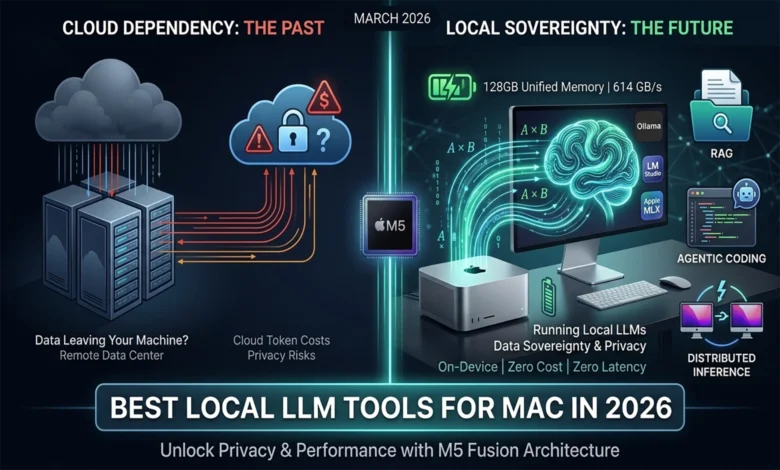
By March 2026, running AI models directly on your own computer has gone from a nerdy hobby to something professionals actually rely on every day.
Not long ago, this was strictly a playground for machine learning enthusiasts who enjoyed tinkering. Now it’s showing up in real engineering workflows, creative studios, and corporate data pipelines. The shift away from cloud-based AI services toward running everything locally comes down to two big things: Apple’s M4 and M5 chips are now genuinely powerful enough to handle it, and the software tools around them have matured to the point where it all just works.
The appeal is pretty straightforward. Your data never leaves your machine — a huge deal if you work somewhere with strict privacy rules. Responses are faster due to significantly lower latency, since you’re not waiting on a round-trip to a remote server halfway across the world. And you’re no longer at the mercy of unpredictable per-token billingTokens are chunks of text (roughly words or word fragments) that AI providers charge for. Costs can spike quickly at scale..
For a lot of companies, this isn’t even a choice anymore. If your industry has data residency laws — meaning your information legally can’t sit on someone else’s servers — local AI stops being optional and becomes the only path forward. For everyone else, it’s increasingly hard to justify the cost and control trade-offs of staying fully cloud-dependent when the local alternative is this capable.
The Hardware Foundation: Apple M5 Fusion Architecture
The biggest reason local AI took off in 2026 is simple: the hardware finally caught up. The M5 Pro and M5 Max chips from Apple aren’t just a modest spec bump over their predecessors — they represent a fundamentally different approach to chip design, built around what Apple calls Fusion ArchitectureApple’s chip design that links two processor dies together in one package, effectively doubling compute resources..
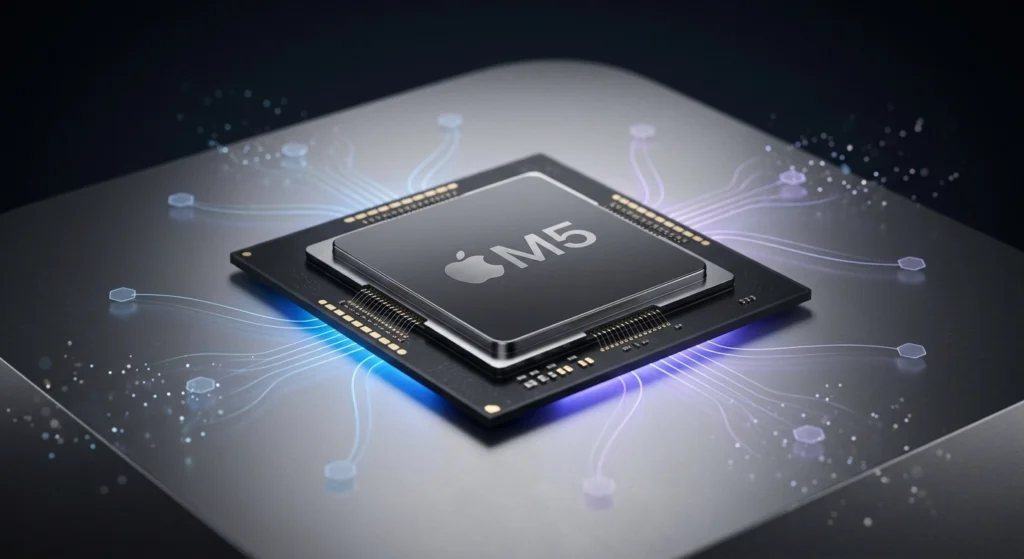
The idea is clever: instead of cramming everything onto a single, ever-shrinking piece of silicon, Apple uses advanced packaging to connect two 3-nanometer diesThe individual processor chips, built at an extremely small scale. Smaller transistors mean more performance and better power efficiency. together into one SoC (System-on-Chip)A single chip that integrates the CPU, GPU, memory, and other components together, rather than having them as separate parts.. The result is essentially double the compute power, without sacrificing the thing that makes Apple Silicon so well-suited for AI in the first place — its unified memoryA shared memory pool accessible by all processor cores simultaneously, eliminating the data transfer bottlenecks common in traditional PC designs. design, where the CPU, GPU, and AI cores all share the same pool of high-speed memory with minimal latency.
Neural Accelerators and Matrix Multiplication
One of the more significant under-the-hood changes in the M5 is where Apple chose to put the AI-specific hardware. Previous chips had a dedicated Neural EngineA dedicated block of cores on Apple Silicon designed specifically to accelerate AI and machine learning tasks. — a separate 16-core block handling AI tasks. The M5 Max keeps that, but goes further: it embeds specialized Neural AcceleratorsSmaller AI-focused processing units embedded directly inside GPU cores, allowing AI workloads to run in parallel across the chip. directly inside each of its 40 GPU cores.
Why does that matter? Because the heavy lifting in AI processing largely comes down to one operation repeated billions of times: matrix multiplication (matmul)The fundamental math operation at the heart of AI model processing — essentially large grids of numbers being multiplied together at enormous scale. — the core math that drives how a model processes and understands text. By distributing dedicated matmul hardware across the entire GPU fabric rather than routing everything through a single bottleneck, the M5 can tear through this workload in parallel, at a scale previous chips simply couldn’t match.
The practical payoff shows up most clearly during the prefill phaseThe initial stage where the model reads and processes your entire prompt before it starts generating a response. — the moment when the model first reads and processes your prompt before generating any response. This is where long inputs get expensive, and where slow chips make you wait. The M5 cuts that wait dramatically, delivering a 3.3x to 4.1x improvement in prompt processing speed over the M4. In real terms, that means a much lower TTFT (Time to First Token)How long you wait from submitting a prompt to seeing the first word of the response — a key measure of AI responsiveness. — the gap between hitting send and seeing the first word of a response. For anyone working with long documents or complex prompts, that’s a meaningful difference.
Unified Memory and Bandwidth Benchmarks
Once a model starts generating a response, the bottleneck shifts from raw compute to something less glamorous but equally critical: memory bandwidthHow fast data can be moved between memory and the processor. The higher the bandwidth, the more smoothly a large AI model can run.. And this is where Apple Silicon has a structural advantage that traditional PC setups simply can’t match at this price point.
The M5 Max pushes 614 GB/s of memory bandwidth — a number that would have required expensive enterprise hardware not long ago. That headroom is what makes running large models locally not just possible, but comfortable.
| Chip | Max Memory | Bandwidth | GPU Cores | Neural Accelerators |
|---|---|---|---|---|
| M3 Max | 128 GB | 400 GB/s | 40 | None |
| M4 Max | 128 GB | 546 GB/s | 40 | None |
| M5 Pro | 64 GB | 307 GB/s | 20 | 20 |
| M5 Max | 128 GB | 614 GB/s | 40 | 40 |
The table tells an interesting story. The M3 and M4 Max had plenty of GPU cores but no embedded Neural Accelerators — all AI work was handed off to a separate Neural Engine. The M5 changes that equation entirely, distributing accelerators across every GPU core while also pushing bandwidth significantly higher.
The reason bandwidth matters so much comes back to how Apple’s UMA (Unified Memory Architecture)Apple’s design where all processor cores share a single high-speed memory pool, eliminating the data transfer overhead of traditional separate CPU/GPU memory. works. On a traditional PC, the CPU and GPU have separate memory pools and have to constantly shuttle data between them over a PCIe busThe high-speed connection used in traditional PCs to transfer data between the CPU and discrete GPU — fast, but still a bottleneck compared to unified memory. — a process that’s relatively slow and creates real bottlenecks under heavy AI workloads. Apple’s unified memory eliminates that entirely: the CPU, GPU, and Neural Accelerators all draw from the same high-speed pool simultaneously.
This becomes especially relevant for the latest generation of MoE (Mixture-of-Experts)An AI model architecture where only a fraction of the model’s parameters are activated per request, making large models more efficient to run — but requiring the full model to stay loaded in memory. models — a popular AI architecture in 2026 where only a small subset of the model’s parameters are active at any given moment, but the entire model still needs to live in memory so the right “experts” can be called up instantly. With 128 GB of unified memory at 614 GB/s, the M5 Max handles this without breaking a sweat.
The Software Ecosystem: Engines of Local Intelligence
Great hardware only gets you halfway. What’s made local AI genuinely usable in 2026 is a software ecosystem that’s grown up around it — and it’s split pretty clearly into two camps: lean, developer-focused command-line tools, and polished graphical apps built for broader audiences. Three platforms sit at the center of it all: Ollama, LM Studio, and Apple’s own MLX framework. Each has carved out a distinct lane, and together they cover most of what anyone running local AI would ever need.
Ollama: The Minimalist Wizard
If you want a model running in the background with minimal fuss, Ollama is almost certainly how you’re doing it. It’s become the de facto standard for developers — not because it’s flashy, but because it gets out of the way.
The entire experience revolves around a single command-line interface. You pull a model, you run it, and Ollama immediately exposes it as a local REST APIA standard way for software to communicate over the web. Ollama exposes your local model through this interface, making it easy to plug into existing apps. that’s compatible with much of OpenAI’s API format — close enough that the majority of apps and scripts already built for ChatGPT can be pointed at your local machine instead, usually with little to no code changes. The important caveat is that Ollama’s OpenAI compatibility is partial rather than perfect, and context size is something you can set with num_ctx in the API or in a Modelfile. For most everyday tooling, though, it just works.
By 2026, Ollama has also gotten meaningfully smarter / more capable under the hood. Its internal scheduler now handles multiple simultaneous requests gracefully, and it can work across mismatched multi-GPU setupsUsing more than one graphics card to run a model, sometimes across cards with different specs or from different generations. — though getting the best/optimal distribution across different hardware usually takes a quick ModelfileOllama’s configuration file for packaging a model alongside its instructions, parameters, and behavior — including how to distribute it across multiple GPUs — into a single shareable file. configuration rather than happening entirely on its own. Still a practical win for developers who’ve cobbled together hardware over time. This makes it a natural fit for agentic workflowsAI systems that don’t just respond to single prompts, but autonomously chain together multiple steps or tools to complete a longer task. and CI/CD pipelinesAutomated software development workflows that build, test, and deploy code continuously — increasingly, AI models are embedded directly into these pipelines., where you need a model running reliably in the background as part of a larger automated system.
The feature that keeps developers loyal, though, is the Modelfile. Think of it as a recipe for a specific version of a model — you define the base model, system prompt, parameters, template, the temperature, the output format, and other behavior, and bundle it all into a single reproducible file. Need a model that always responds in JSON? Or one that stays in character as a structured SQL-writing assistant? You write it once, share it with your team, and everyone gets identical (the same) behavior every time.
LM Studio 0.4.0: The Visual Workbench
Where Ollama thrives on minimalism, LM Studio takes the opposite approach — and makes no apologies for it. It’s a full graphical workbench designed for anyone who’d rather click than type, without sacrificing the depth that serious experimentation demands.
Version 0.4.0, released in early 2026, marked a meaningful shift in how LM Studio fits into a professional setup. The headline addition is llmsterLM Studio’s background service — runs the model server without needing the graphical interface open, similar to how Ollama operates. — a headless (daemon) background service that lets LM Studio operate as a persistent server, even without the GUI open. You get the best of both worlds: configure everything visually, then let it run quietly in the background just like Ollama would. It’s a smart move that bridges the gap between casual experimentation and production-adjacent use.
The app’s tightest integration is with Hugging FaceThe largest open-source platform for AI models, datasets, and tools — often described as the “GitHub for AI.”, the de facto hub for open-source AI models. Instead of hunting down models manually, you can browse, filter, and download directly inside LM Studio — including the quantizedA compressed version of an AI model that uses less memory by reducing numerical precision — makes large models runnable on consumer hardware with minimal quality loss. variants that make large models practical on consumer hardware by trading a small amount of precision for dramatically lower memory requirements.
The most useful new feature, though, is the “Model Compatibility Score.” Rather than leaving you to guess whether a particular model will run well on your machine, LM Studio reads your hardware in real-time and gives you a concrete prediction. Specifically, it tells you whether a given quantization levelHow aggressively a model has been compressed. Q4 uses less memory but slightly lower quality; Q8 is closer to the original but heavier on RAM. — say, Q4_K_M versus Q8_0 — will run smoothly or push your system into memory pressureWhen a system is running low on available memory, causing slowdowns or instability as it struggles to keep all required data loaded.. For anyone still learning the landscape, this alone removes one of the most frustrating parts of the trial-and-error process.
Apple MLX: Native Supremacy
If Ollama is the pragmatist and LM Studio is the visual thinker, MLX is the purist — and on Apple Silicon, that pays off.
MLX is Apple’s own machine learning framework, built from scratch by their research team specifically for M-series chips. That distinction matters more than it might sound. Most inference engines — including the ones powering Ollama and LM Studio under the hood — are built on top of llama.cppA widely used open-source library for running AI models efficiently across different hardware platforms — the backbone of many local inference tools., a highly capable but generalized library designed to run across many different hardware platforms. Generality is a strength, but it comes at a cost: you can’t fully exploit what makes any one piece of hardware special.
MLX takes the opposite approach. It speaks Apple Silicon natively, tapping directly into Metal Performance ShadersApple’s low-level GPU programming framework, allowing software to squeeze maximum performance out of Apple Silicon’s graphics hardware. and taking full advantage of the UMA architecture we covered earlier. There’s no abstraction layer between the framework and the hardware — which is exactly why MLX-native apps consistently clock 20–30% better performance than comparable Ollama or LM Studio setups running the same model.
Two apps leading that charge in 2026 are Msty Studio and Pico AI Server. Msty Studio is particularly interesting: it gives you a unified workspace where local MLX models and cloud-based providers sit side by side. You can run the same prompt through both and compare outputs in real-time, or seamlessly fall back to a local model when you’re offline or need to keep data on-device. It’s a practical acknowledgment that local and cloud AI aren’t competing — they’re complementary, and the best tools let you move fluidly between them.
Benchmarking Performance: M4 vs. M5 on Professional Models
Numbers only mean something in context, so let’s talk about what these benchmarks actually reflect. The figures below measure real-world inference across a range of model sizes — specifically Llama 4 and Qwen 3 — all running at Q4_K_M quantizationA specific compression format for AI models that offers a strong balance between memory usage and output quality — one of the most widely used settings in practice. — the sweet spot most practitioners use in 2026, balancing memory efficiency with output quality. The unit throughout is t/s (tokens per second)How many tokens (roughly, words or word fragments) a model generates per second — a standard measure of inference speed. — roughly how many words the model can produce per second.
| Model Tier | M4 Pro (36GB) | M4 Max (128GB) | M5 Pro (64GB) | M5 Max (128GB) |
|---|---|---|---|---|
| 7B – 8B Dense | 35 t/s | 83 t/s | 55 t/s | 115 t/s |
| 14B – 20B Dense | 22 t/s | 48 t/s | 35 t/s | 68 t/s |
| 30B – 35B MoE | 16 t/s | 34 t/s | 28 t/s | 52 t/s |
| 70B – 120B MoE | ❌ (N/A) Memory Bound | 14 t/s | 8 t/s | 25 t/s |
A few things stand out. First, the M5 Max running a small 7B model at 115 t/s is fast enough that the response feels essentially instantaneous — the model is outpacing your reading speed. Second, the M4 Pro’s “Memory Bound” result for the largest model tier isn’t a performance score — it means the model simply doesn’t fit in 36GB of RAM and can’t run at all. The M5 Pro, with its 64GB ceiling, gets it moving at 8 t/s — slow, but functional. The M5 Max handles the same models at 25 t/s, which crosses the threshold into genuinely comfortable territory for day-to-day use.
The Prompt Processing Breakthrough
Here’s where things get really interesting — and where the M5’s architectural changes pay off most visibly.
Sustained (token) generation speed matters, but for many real-world workflows, the bigger pain point has always been the prefill phase — that pause before the model starts responding while it reads and processes your entire prompt. Feed a reasoning model like DeepSeek-R1 a complex problem, or ask a large-context model like gpt-oss-120b to process a 10,000-token document, and on older hardware, you’re waiting. Sometimes for a while.
| Task Metric | M4 Max | M5 Max | Improvement |
|---|---|---|---|
| TTFT (Dense 14B) | 8.2s | 2.1s | ~3.9x |
| TTFT (MoE 35B) | 12.5s | 3.2s | ~3.9x |
| Prompt Prefill (tok/s) | ~1,850 | ~4,470 | ~2.4x |
The TTFT numbers — dropping from 8.2 seconds to 2.1 seconds on a 14B model — reflect a nearly 4x end-to-end speedup from the moment you submit a prompt to the moment the first word appears. The raw prefill throughput (how many tokens the model can ingest per second) shows a more modest 2.4x gain, which is expected: TTFT also benefits from improvements elsewhere in the pipeline, not just raw ingestion speed.
What this unlocks in practice is significant. Tasks like RAG (Retrieval-Augmented Generation)An AI technique where relevant documents or data are fetched and fed into the model’s prompt at runtime, grounding its responses in specific, up-to-date information. — where the model repeatedly ingests large chunks of retrieved documents before responding — and agentic codingAn AI-assisted workflow where a model autonomously reads, edits, and reasons about a codebase across multiple steps — rather than just answering a single question. — where an AI agent re-reads an evolving codebase across many steps — have historically suffered from accumulated prefill delays. On the M5 Max, those delays shrink to the point where the interaction finally feels fluid. For a 10,000-token prompt, what took over 12 seconds on an M4 Max now takes just over 3. Do that dozens of times in a single session, and the difference in working experience is substantial.
The M5 is the first consumer-grade platform where these workflows don’t just work — they feel fast.
The 2026 Model Catalog: Sovereignty and Performance
The hardware and software are only half the story. The other half is which model you actually run — and in 2026, that choice has gotten genuinely exciting. The open-weightAI models whose trained parameters are publicly released, allowing anyone to download and run them — distinct from fully open-source (where training code and data are also shared), but practically very similar for end users. ecosystem has largely closed the gap with proprietary cloud models, and families like Llama, Qwen, and DeepSeek have each carved out distinct strengths rather than racing to be generic all-rounders.
Meta Llama 4: The Industry Standard
Llama 4 is the closest thing the local AI world has to a default recommendation in 2026. The family splits into two architectures aimed at different hardware realities:
Llama 4 Scout (109B) is the pragmatist’s choice. It’s a MoE model with 109 billion total parameters, but only 17 billion are activeIn a MoE model, only a subset of the total parameters are used per request. A model with 109B total but 17B active behaves more like a 17B model in terms of speed and memory usage. [parameters] at any given time — meaning it punches well above its weight in terms of memory efficiency. It’s designed to fit comfortably within a 64GB system, and despite that footprint, its reasoning capabilities reportedly surpass the older Llama 3.1 405B. That’s a remarkable amount of capability per gigabyte.
Llama 4 Maverick (400B) is the flagship — and it doesn’t apologize for its appetite. Running it at 4-bit quantization requires 256GB of unified memory, which puts it beyond even the M5 Max on its own. The practical path here is a distributed clusterSplitting a model’s workload across multiple machines connected together, allowing models too large for any single device to run in practice. using tools like ExoAn open-source tool that enables running large AI models across multiple consumer devices in a local network, effectively turning them into a cluster.. Not a casual setup, but for teams who need frontier-level performance on-premise, it’s now a real option.
Qwen 3 and DeepSeek: The Coding and Reasoning Powerhouses
Where Llama 4 aims for breadth, Qwen 3 and DeepSeek have gone deep on specific use cases — and it shows in the benchmarks.
Qwen 3-Coder, from Alibaba, consistently leads code generation benchmarks in 2026, particularly for Python, Rust, and C#. The official announcement frames it as agentic-coding oriented, with a 480B-A35B Instruct variantQwen3-Coder-480B-A35B-Instruct — a 480B-parameter Mixture-of-Experts model with 35B active parameters. that supports 256K context natively and up to 1M tokens via extrapolation methods. It’s also notably efficient on Apple Silicon — the 7B variant regularly hits 100+ t/s on the M5 Max, making it one of the snappiest coding assistants available locally. If your primary use case is writing or reviewing code, this is likely your starting point.
DeepSeek-V3.2-Exp, built on V3.1-Terminus, takes a different angle entirely. Its standout feature is a native “thinking mode”A model feature that triggers extended internal reasoning before producing a final answer — trading speed for accuracy on complex tasks. (deepseek-reasoner) — a built-in chain-of-thought reasoningA technique where a model explicitly works through intermediate reasoning steps before arriving at a conclusion, improving accuracy on multi-step problems. capability that lets the model work through complex mathematical and logical problems step by step before committing to an answer. It’s slower than dense models of comparable/similar size, but that’s somewhat beside the point: it’s valued for zero-shot reasoning accuracyA model’s ability to correctly solve problems it hasn’t been specifically trained on, relying purely on generalized reasoning ability. — the ability to tackle problems it’s never explicitly been trained on, purely through structured reasoning. For anyone doing serious analytical or proof-based work locally, DeepSeek-V3.2-Exp is in a category of its own.
Distributed Inference: Beyond the Single Device
So what do you do when even the M5 Max isn’t enough? You get more M5 Maxes — and let them work together.
That’s the core idea behind Exo, an open-source framework that turns a collection of Apple Silicon devices into what it calls a “Local AI Supercomputer.” It’s one of the more compelling emerging tools of 2026, and it’s matured significantly from its early experimental roots.
The Exo Framework and Thunderbolt 5 RDMA
Exo’s pitch is elegantly simple: plug your Macs together, and Exo handles the rest. There’s no manual configuration — the framework automatically detects devices on the network, forms a cluster, and distributes the model across them using “Pipeline Parallelism”A technique for splitting a large model across multiple devices by assigning different layers to each machine, with data passing through them sequentially., where different layers of the model live on different machines and data flows through them in sequence.
The reason this works as well as it does in 2026 comes down to Thunderbolt 5Apple’s latest high-speed device interconnect standard, offering 120 Gbps bidirectional bandwidth — roughly double Thunderbolt 4.. At 120 Gbps bi-directional throughputActually, Intel says Thunderbolt 5 provides 80 Gbps of bi-directional bandwidth, with Bandwidth Boost up to 120 Gbps for video-intensive usage., the connection between devices is fast enough that the inter-device communication overhead doesn’t completely kill performance. More importantly, RDMA (Remote Direct Memory Access)A networking technique that allows one machine to directly read from or write to another’s memory, bypassing the CPU for dramatically lower latency. — a technique that lets one machine read directly from another’s memory without involving the CPU, dramatically reducing latency on every data transfer.
The benchmarks tell a realistic story:
| Cluster Configuration | Model | Interconnect | Generation Speed |
|---|---|---|---|
| 2x M5 Max (128GB) | Llama 4 400B (Q3) | Thunderbolt 5 RDMA | ~3–5 t/s |
| 4x M4 Mini (64GB) | gpt-oss-120b (Q4) | Thunderbolt 4 RDMA | ~6–8 t/s |
| 2x M2 Studio (96GB) | Mixtral 8x22B (Q5) | 10GbE TCP/IP | ~1–2 t/s ⚠️ (slow) |
A few things worth noting here. The 2x M5 Max setup running Llama 4 400B at 3–5 t/s is slow by everyday standards — but it’s running a 400-billion parameter frontier model on consumer hardware sitting on a desk. That framing matters. The 4x M4 Mini cluster running gpt-oss-120b at 6–8 t/s is arguably the more practical configuration for small teams: four Mac Minis are relatively affordable, and the combined 256GB of memory opens up model tiers that no single device can touch.
The bottom row is a cautionary tale. Dropping from Thunderbolt to a standard 10GbE TCP/IPStandard 10 Gigabit Ethernet networking — fast for most purposes, but significantly slower than Thunderbolt for the high-bandwidth demands of distributed AI inference. network connection — the kind most office setups would use — tanks performance to 1–2 t/s on Mixtral 8x22B. Exo works, but the interconnect speed is the ceiling. Thunderbolt 5 isn’t optional if you want usable results.
What makes Exo genuinely useful beyond the benchmarks is its device-agnosticAble to work across different hardware configurations without requiring identical specs. Exo distributes model layers based on what each device can handle. design. It doesn’t require identical hardware across the cluster — it reads the available memory on each node and shards the model accordingly. An M5 Max and an M4 Pro can sit in the same cluster, and Exo will allocate more layers to the machine that can handle them. For researchers and small teams who’ve accumulated different machines over time, that flexibility is the difference between a tool that works in theory and one that works in practice.
Advanced Workflows: RAG and Agentic Coding
Great hardware and fast models are table stakes. What actually signals a mature ecosystem is what people build on top of them — and in 2026, that layer has grown up considerably. RAG and agentic coding have graduated from clever weekend scripts to first-class features inside the tools professionals use every day.
Local RAG with Msty Knowledge Stacks
Msty Studio’s answer to RAG is a feature called Knowledge Stacks — and it’s one of the more thoughtfully designed implementations in the local AI space.
The idea is straightforward: you point Msty at your documents, codebases, emails, or any local files, and it builds a private vector databaseA specialized database that stores documents as numerical representations (embeddings), enabling fast semantic search — finding content by meaning rather than exact keyword matches. entirely on your machine. No data leaves the device. The model can then search and retrieve relevant context from your files before generating a response, grounding its answers in your actual information rather than its training data alone.
What keeps it useful day-to-day is Sync Mode — a background process that watches your specified folders for any changes and automatically re-indexes updated files. Your knowledge base stays current without any manual intervention. Edit a document, save a new file, update a codebase — Msty picks it up and the AI has access to the latest version next time you ask.
For anyone handling sensitive material, this matters a great deal. Cloud-based RAG pipelines require your documents to pass through external servers for indexing and retrieval. Msty’s approach means that a legal brief, a proprietary codebase, or confidential communications never touch infrastructure you don’t control.
Agentic IDE Integration: Zed and Aider
On the coding side, two tools have emerged as the go-to options for integrating local models into a real development workflow: the Zed editor and the Aider command-line tool. They take different approaches, and both are worth understanding.
Zed is built around performance and collaboration. It connects directly to a local Ollama instance and surfaces AI capabilities through what it calls an Inline AssistantAn AI assistant embedded directly inside the code editor, able to read and modify code in context without switching to a separate chat interface. — essentially a context-aware AI that lives inside the editor and can read and edit your code in place. The more unusual feature is Zed’s multiplayer architectureA design where multiple users — or AI agents — can edit the same file simultaneously in real time, similar to collaborative Google Docs but for code.: it’s designed from the ground up to allow multiple collaborators — human or AI agent — to work inside the same code buffer simultaneously, rendered at 120fps. In practice, this means an AI agent can be actively editing one part of a file while you’re writing another, without either blocking the other. It’s a genuinely different model of human-AI collaboration from the typical “ask and apply” pattern.
Aider operates from the command line and has earned a reputation as the best-in-class agentic coding tool for local models — largely because of one unglamorous but critical design decision: its system prompt weighs in at just 2,000 tokensThe size of Aider’s system prompt — the instructions the model receives before your request. Keeping this small leaves more room in the context window for actual code and conversation.. That might seem like a small detail, but it has real consequences. Competing tools like Cline and Roo use system prompts in the range of 15,000 tokens — fine when you’re routing requests to a powerful cloud API with a massive context windowThe total amount of text a model can “see” at once, including the system prompt, conversation history, and any retrieved documents. Once exceeded, older content gets dropped., but punishing when you’re running a smaller local model. Bloated system prompts eat into the available context, slow down the prefill phase, and can push smaller models past their limits entirely, causing context window exhaustionWhen a model’s context window fills up completely, forcing it to drop earlier content — often causing it to lose track of instructions, prior decisions, or relevant code.. Aider’s lean prompt design keeps the model focused, fast, and stable — which matters more than feature completeness when your inference budget is constrained.
Optimization and Resource Management
Getting a model running is one thing. Getting it running well — stay fast, predictable, and quiet over a long session — is another. On Macs, the practical bottlenecks are usually not just raw model size, but how efficiently you use memory, how long the context grows, and how much thermal headroom the machine has. In practice, that usually comes down to three levers: quantization, context management, and sustained performance under load.
Leave Headroom for the KV Cache
There is no universal, officially defined “60% rule”A practical community rule of thumb is to leave around 40% of unified memory free for the OS, KV cache, and runtime overhead., but the underlying advice is sound: do not size your model so tightly that you leave no room for everything else the system needs to do. On Apple Silicon, the CPU, GPU, and Neural Accelerators all share unified memory, and macOS tracks memory pressure through a combination of signals — free memory, swap rate, wired memory, cached files — rather than any fixed percentage threshold.
The reason headroom matters is the KV CacheA memory structure that stores intermediate attention data from earlier in a conversation, so the model doesn’t have to reprocess prior tokens on every new response. Grows continuously with conversation length. (Key-Value Cache). During inference, the model stores past key and value tensors so it doesn’t have to recompute them on every new token. NVIDIA describes model weights and KV cache as the two main contributors to LLM memory use, and notes that KV cache grows linearly with batch size and sequence length (conversation length). Hugging Face makes the same point from the systems side: KV cache can become a bottleneck for long-context generation, especially on memory-constrained hardware.
A more accurate way to think about the memory budget is:

For common decoder-only models, NVIDIA gives the cache estimate as:

Equivalently, per token:

That’s why a model that “fits” on paper can still become awkward in real use once a session gets long. The weights are a fixed cost; the cache keeps growing with every token added to the context, and the rest of the system still needs working room. A practical example: a RAG workflow that repeatedly pulls in large documents across many turns will drive up/increase KV cache pressure much faster than a simple back-and-forth conversation — and that is exactly the kind of workload that exposes a memory setup that is too tight.
Apple’s 2nd Gen Dynamic CachingAn M5 GPU-side optimization that allocates on-chip memory more efficiently based on real-time workload demands — improves utilization, but doesn’t change total memory requirements. (second-generation dynamic caching) is worth mentioning — but for the right reason. Apple describes it as a GPU-side optimization that improves on-chip memory usage and GPU efficiency, especially for graphics and other visually intensive workloads. It can help the system run more efficiently, but it does not change the fundamental/basic arithmetic of LLM memory planning. In other words, dynamic caching helps with utilization; it does not eliminate the need to budget for weights plus (KV) cache.
The more useful practical frame is this: leave meaningful headroom, then reclaim memory where it matters most. Quantization reduces the fixed cost of model weights. Smaller cache precision, cache offloading, and cache-aware attention variants tackle the growing cost of long contexts. That combination is the difference between a setup that merely launches and one that stays usable once the session gets real.
Thermal Management in Sustained Inference
Apple Silicon’s power efficiency is one of its most compelling arguments for local AI — an M5 Max running a heavy inference workload draws somewhere between 60–90W. For context, an NVIDIA RTX 5090 system doing comparable work pulls 600–800W. That’s not a rounding error; it’s a fundamentally different relationship with your electricity bill and your physical environment.
That said, “efficient” doesn’t mean “cool.” Sustained inference on 70B+ models generates meaningful heat over time, and Apple Silicon is not immune to thermal throttlingAn automatic self-protection mechanism where the chip reduces its clock speed to prevent overheating — effective for hardware safety, but measurably reduces performance during sustained workloads., which is the automatic reduction in clock speeds the chip uses to protect itself when temperatures climb too high. In extended batch processing runs or long agentic loops, throttling can cut inference speeds by up to 40%. That’s a significant hit, and it compounds over time if left unmanaged.
The practical responses professionals use in 2026 range from the simple — positioning the machine for better airflow, avoiding enclosed spaces — to the more deliberate, including active cooling solutionsExternal hardware — typically fans or cooling attachments — used to supplement a device’s built-in thermal management during prolonged high-performance tasks. like external fan attachments designed for Mac Studios, and fan control software that overrides Apple’s conservative default thermal curves to keep the chip cooler under sustained load. Neither approach is glamorous, but for anyone running the machine hard for hours at a time, they’re worth the minor effort.
Conclusion: The Strategic Advantage of Local AI
What once seemed ambitious just a few years ago has become quietly routine: a single Mac on a desk, running frontier-class AI models entirely in private, at near-zero cost, with no cloud dependency in sight. As of March 2026, the combination of Apple’s M5 Fusion Architecture and a maturing MLX-optimized software stack didn’t just make this possible — it made it practical enough to build a professional workflow around.
The case for making the switch comes down to three things that compound on each other. Data sovereignty — your documents, your conversations, your codebase, none of it leaving your machine. Zero per-token costs — once the hardware is paid for, the inference is free, however hard you push it. And near-zero latency for interactive tasks — responses fast enough that the AI stops feeling like a tool you’re waiting on and starts feeling like one you’re thinking alongside.
If there’s one concrete takeaway for anyone evaluating hardware in 2026, it’s this: when configuring a machine for local AI, prioritize unified memory over (raw) CPU core count. The next generation of capable models — the 70B to 120B parameter range that’s rapidly becoming the new baseline for serious work — lives or dies by how much RAM you have to load them into. A machine with more cores but less memory will hit a hard ceiling. One with 128GB of unified memory and the M5’s hardware-accelerated matmul (matrix multiplication) pipeline will keep getting more capable as models improve.
For tooling, the 2026 consensus is fairly settled: Ollama as the reliable, lightweight backend for development and automation pipelines; Msty Studio for personal research, document-grounded workflows, and anything where you want a polished interface that bridges local and cloud models fluidly. Layer in Aider or Zed for agentic coding, and you have a stack that covers most professional use cases without a single API key.
The broader shift this represents is worth naming plainly. Local AI is no longer a compromise you make for privacy reasons — accepting worse performance in exchange for keeping data on-device. In 2026, it’s competitive with cloud offerings on most practical tasks, cheaper to operate at scale, and meaningfully more controllable. For organizations serious about where their data goes and what their AI costs, the question is no longer whether to run locally. It’s how quickly they can get there.
Enjoyed the article?