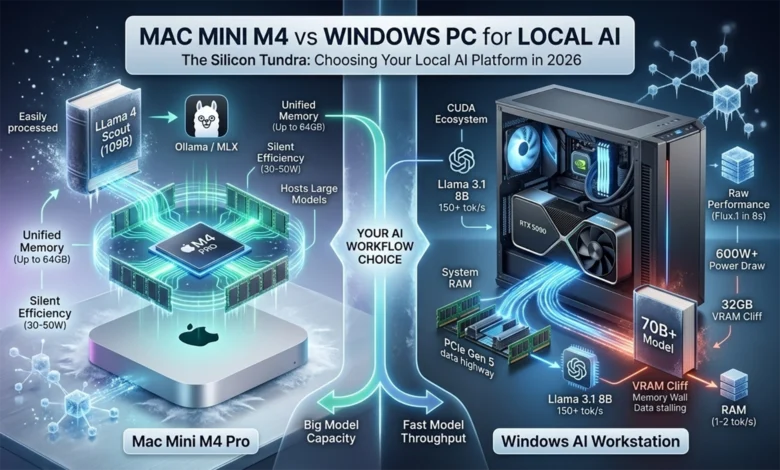
The world of artificial intelligence has shifted from cloud-centric to local-first, and the hardware landscape has transformed to match. As of early 2026, running large language models (LLMs) and generative AI tools on your desk isn’t just possible — it’s practical. But this raises the question: which platform serves you better?
Two distinct (technological) philosophies have emerged. Apple’s Mac Mini M4 and M4 Pro represent the unified memory approach, where CPU, GPU, and Neural Engine share a single high-bandwidth pool of RAM. On the other side, Windows PCs leverage discrete GPUs like NVIDIA’s Blackwell-based RTX 5090, bringing raw computational power through dedicated VRAM and specialized tensor cores.
This isn’t a simple speed comparison. It’s a choice between capacity and throughput, between silent efficiency and raw performance, between integrated elegance and modular flexibility. Understanding which matters more for your workflow makes all the difference.
The year 2026 marks a turning point. With Apple’s M4 family and NVIDIA’s Blackwell architecture, local systems can now host models that previously required data center infrastructure. Yet a fundamental constraint remains: the “Memory Wall” — the bottleneck created by data transfer speeds and capacity limits. Whether a system excels at generating tokens quickly (throughput) or running massive models (capacity) depends entirely on how it addresses this physical bottleneck.
Architectural Foundations: Two Paths to AI Performance
The core difference between a Mac Mini M4 and a Windows AI workstation lies in how the processor talks to memory. Understanding this distinction explains nearly every performance characteristic that follows.
Windows PCs: The Discrete GPU Approach
On a Windows PC, a discrete GPU like the RTX 5090, built on the Blackwell (GB202/GB203) architecture, operates as a semi-independent compute island. It brings tremendous power: 21,760 CUDA cores, 680 fifth-generation Tensor Cores, and 32 GB of blazing-fast GDDR7 memory running at 1.79 TB/s. That bandwidth figure deserves emphasis. It’s roughly seven times faster than the Mac Mini M4 Pro’s 273 GB/s.
But there’s a catch. The GPU’s VRAM exists in isolation, connected to the rest of the system through the PCIe Gen 5 bus. Loading a model into VRAM requires copying data from system RAM across that bus. For smaller models that fit entirely in VRAM, this overhead happens once at startup. For larger models that exceed the 32 GB limit, the system must constantly shuttle data back and forth, and performance collapses.
The RTX 5090 draws up to 575W under full load and requires robust cooling. Most builders recommend a 1000W power supply and adequate case airflow. The card itself measures over 12 inches long and occupies three expansion slots.
Apple Silicon: The Unified Memory Advantage
| Chip Variant | CPU Cores (P+E) | GPU Cores | Memory Bandwidth | Max RAM Capacity |
|---|---|---|---|---|
| Apple M4 | 10 (4+6) | 10 | 120 GB/s | 32 GB |
| Apple M4 Pro | 14 (10+4) | 20 | 273 GB/s | 64 GB |
| Apple M4 Max | 16 (12+4) | 40 | 546 GB/s | 128 GB |
| Apple M3 Ultra | 24 (16+8) | 76 | 800 GB/s | 192 GB |
The Mac Mini takes a fundamentally different approach. The M4 and M4 Pro chips integrate CPU, GPU, and a 16-core Neural Engine onto a single package (SoC), all sharing unified memory. The base M4 offers a 10-core CPU (4 performance, 6 efficiency) and 10-core GPU with 120 GB/s bandwidth and up to 32 GB of RAM. The M4 Pro scales to 14 cores (10 performance, 4 efficiency) and a 20-core GPU, with 273 GB/s bandwidth and up to 64 GB unified memory.
In this architecture, data never moves. When the GPU needs to access model weights or the Neural Engine processes a layer, they simply address the same memory the CPU uses. No copies. No transfers. This zero-copy mechanism eliminates the PCIe tax entirely.
Apple claims the M4 Pro delivers “twice as much bandwidth as any AI PC chip” for unified memory access. While that bandwidth figure trails the RTX 5090’s VRAM by a wide margin, the unified architecture means all 64 GB operates at full speed for any processor that needs it.
The entire Mac Mini measures five inches square and two inches tall. It draws 30-50W under typical AI workloads and remains nearly silent.
| Specification | Mac Mini M4 | Mac Mini M4 Pro | Windows PC (RTX 5090) |
|---|---|---|---|
| CPU | 10-core (4P+6E) | 12-core (8P+4E), configurable to 14-core (10P+4E) | 12+ core (varies) |
| GPU | 10-core Apple GPU | 16-20 core Apple GPU | 21,760 CUDA cores |
| Memory/VRAM | Up to 32 GB unified @ 120 GB/s | Up to 64 GB unified @ 273 GB/s | 32 GB GDDR7 @ 1.79 TB/s + system RAM |
| Neural Accelerator | 16-core Neural Engine (up to 38 TOPS) | 16-core Neural Engine | 680 5th-gen Tensor Cores / 3,352 AI TOPS |
| Power Draw | 30-50W (up to 155W max continuous power) | 40-80W (up to 155W max continuous power) | 450-600W (exactly 575W TGP; full system typically 600–1000W+) |
| Dimensions | 5″ × 5″ × 2″ | 5″ × 5″ × 2″ | Tower or mid-size case |
| Price Range | $599-$1,599 | $1,399-$1,999 | $2,500+ (GPU alone ~$1,500–2,000+; full build varies widely) |
A visual “memory architecture” comparison helps explain one crucial difference:
This unified design lets the Mac mini run large models (20B+ parameters) by spilling beyond what a GPU VRAM could hold, at the cost of slightly lower peak throughput.
p>LLM Inference: Where Performance Meets Capacity
Large language models expose the strengths and weaknesses of each platform with unusual clarity. Performance here gets measured in tokens per second, the rate at which a model generates text. Two phases matter: prefill speed (how fast the model processes your prompt) and decode speed (how fast it generates the response).
The Speed Advantage
For smaller models like Llama 3.1 8B or Qwen 3 7B, the RTX 5090 remains uncontested. In optimized batch scenarios, it can achieve generation speeds exceeding 150-200 tokens per second. The response feels instantaneous.
The Mac Mini M4 Pro runs these same models at 40-55 tokens per second. That’s noticeably slower, but still fast enough that the bottleneck shifts to how quickly you can read. For interactive work, the difference matters less than the numbers suggest.
Early 2026 brought a significant shift for Mac users. The Ollama inference engine moved from llama.cpp to Apple’s native MLX framework, increasing token generation speeds by up to 93% on certain models. This wasn’t a hardware upgrade. It was pure software optimization, exploiting the unified memory architecture (UMA) more effectively.
The Capacity Cliff
The real divergence appears with larger models. LLM inference requires approximately bytes per parameter for weights, plus additional memory for the key-value cache.
\text{Memory Required} \approx (\text{Parameters} \times \text{Bytes per Param}) + \text{KV Cache}For a 70B model quantized to 4-bit precision (0.5 bytes per parameter), you need roughly 35-40 GB of memory. The calculation breaks down like this: 70 billion parameters at 0.5 bytes equals 35 GB for weights, plus several gigabytes for the KV cache depending on context length.
The RTX 5090 has 32 GB of VRAM. When a model exceeds this limit, the system must offload layers to system RAM. The GPU then waits for data to travel across the PCIe bus, and performance plummets to 1-2 tokens per second. The experience becomes unusable.
This collapse stems from a double bottleneck. First, system RAM operates at roughly 100-120 GB/s, already slower than the GPU’s 1.79 TB/s internal bandwidth. But the real killer here is the PCIe Gen 5 bus itself, which caps data transfer at about 64 GB/s in each direction. Even with fast DDR5 memory, every byte traveling between system RAM and GPU VRAM must squeeze through this 64 GB/s pipe. The result: the GPU spends most of its time waiting instead of computing.
The Mac Mini M4 Pro with 64 GB of unified memory sidesteps this entirely. The full 70B model stays in high-speed memory, maintaining 6-8 tokens per second. It’s slower than the RTX 5090 running a model that fits, but infinitely faster than the RTX 5090 running a model that doesn’t.
| Model Size | Mac Mini M4 Pro | RTX 5090 | Key Constraint |
|---|---|---|---|
| 7B-8B (Q4) | 40-55 tok/s | 150-200+ tok/s | Both fit easily |
| 14B-20B (Q4) | 30-35 tok/s | 100-140 tok/s | Both fit easily |
| 32B-35B (Q4) | 12-18 tok/s | 50-80 tok/s | Pushing VRAM limit |
| 70B (Q4) | 6-8 tok/s | Falls to RAM (1-2 tok/s) | Exceeds VRAM capacity |
This is the memory wall in action. The RTX 5090 dominates when models fit. The Mac Mini wins when they don’t.
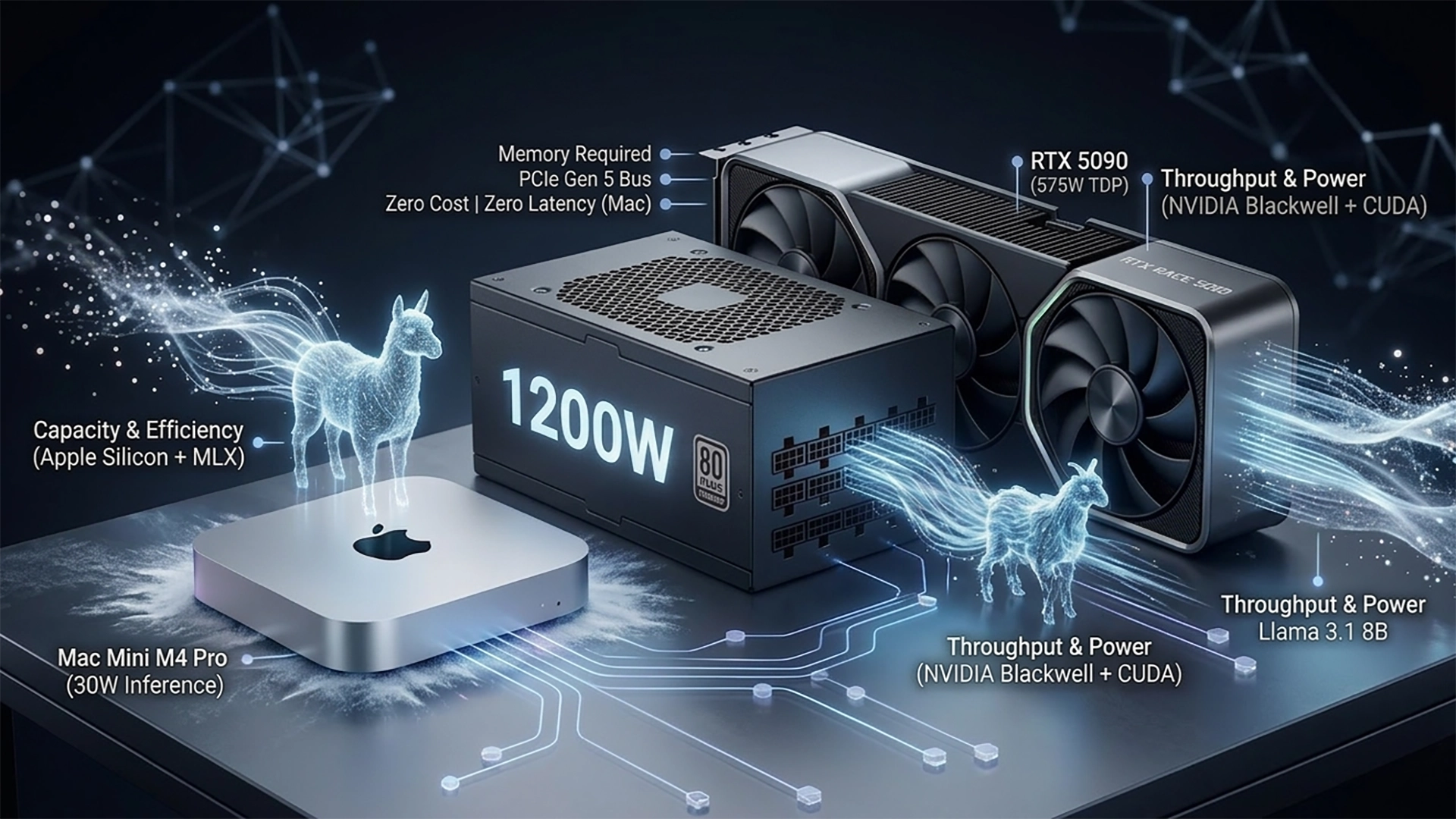
Generative Media: Where Raw Power Matters Most
If LLM inference represents Mac’s competitive ground, generative image and video models remain firmly in NVIDIA’s territory. These workloads are compute-bound, relying on raw core count and specialized tensor operations.
Image Generation Performance
Stable Diffusion XL and Flux.1 showcase the gap. The RTX 5090 can generate a high-quality Flux.1 image in under 8 seconds using FP8 precision. The Mac Mini M4 Pro, running Metal-optimized backends, takes 45-90 seconds for the same output.
For creative professionals iterating on concepts, that difference transforms the workflow. The RTX 5090 enables real-time experimentation. The Mac Mini works better for batch processing overnight.
| Platform | SDXL (FP16) it/s | Flux.1 (FP8) it/s | Video Generation |
|---|---|---|---|
| RTX 5090 | 41.5 | 22.2 | 12-15 fps |
| RTX 5080 | 16.7 | 8.8 | 4-6 fps |
| Mac Mini M4 Pro | 3.2 | 1.1 | 0.5-1.0 fps |
Video Generation Constraints
Early 2026 video generation models like Wan 2.2 and LTX-Video demand massive memory. These models often require 24 GB or more to run without hitting out-of-memory errors. The Mac Mini M4 Pro’s 64 GB unified memory handles them without the crashes that plague 16 GB or 24 GB Windows cards.
But again, generation speed remains slow. The Mac can run these models, but interactive editing requires the kind of throughput only the RTX 5090 provides.
The Software Ecosystem: Maturity vs Integration
Hardware performance only tells half the story. Software support determines what you can actually accomplish.
CUDA’s Entrenched Position
NVIDIA’s CUDA ecosystem represents decades of optimization. Nearly every research paper, every new model release, assumes CUDA availability. Frameworks like vLLM and Unsloth are designed CUDA-first, providing the highest stability and performance for fine-tuning and training.
TensorRT-LLM allows Windows users to extract every bit of performance from Blackwell GPUs, often achieving 30-70% higher speeds than general-purpose engines. The breadth of specialized tools — bitsandbytes, FlashAttention, cuDNN — creates a complete stack for serious AI development.
Windows also supports WSL2 (Windows Subsystem for Linux), letting developers run containerized workloads with GPU access. This makes replicating cloud environments straightforward.
The MLX Revolution
Apple’s MLX framework, released in late 2023 and matured by 2026, changed the equation for Mac users. MLX isn’t a translation layer trying to make PyTorch work better. It’s a native array framework designed specifically for the M-series architecture.
Three features stand out. Lazy evaluation fuses operations together, reducing memory bandwidth usage. Zero-copy memory eliminates the latency of moving data between CPU and GPU. And by 2026, major tools like Ollama, LM Studio, and Jan.ai have integrated MLX backends, providing a plug-and-play experience.
For developers integrating Ollama with other applications, a common pitfall: use the base endpoint http://127.0.0.1:11434 rather than appending /v1. The /v1 suffix breaks tool calling functionality in certain client libraries. This matters particularly for agentic workflows where function calling is essential.
For Mac users, PyTorch now includes an MPS (Metal Performance Shaders) backend that maps ML computation to the GPU. TensorFlow works through the tensorflow-metal PluggableDevice. Core ML handles converted models from ONNX or PyTorch, utilizing the Neural Engine efficiently.
Interestingly, Apple open-sourced MLX with CUDA support. This bridges the Apple-NVIDIA divide in an unexpected way. Developers can prototype on a Mac and deploy the same MLX code on NVIDIA hardware, or vice versa.
Framework Compatibility
Both platforms support the major frameworks:
On macOS, popular tools run natively or through Rosetta. Homebrew and Conda provide Python packages. GPU driver stability is high since Metal is part of the OS, updated annually with macOS releases. Some open-source libraries may lag in ARM builds, but the ecosystem is maturing rapidly.
On Windows, most packages have ready binaries via pip or Conda. The broader CUDA toolchains offer more moving parts — driver installation, CUDA versions, library compatibility — but also more flexibility and third-party support.
Docker for Mac supports ARM images but lacks GPU passthrough for containers. Windows can run Linux containers with NVIDIA GPU support, making it easier to replicate cloud deployment environments.
Training and Fine-Tuning: Local Model Adaptation
Local fine-tuning has become essential for AI developers in 2026. While large-scale training still requires cloud clusters, Low-Rank Adaptation (LoRA) and Quantized LoRA (QLoRA) let individuals fine-tune models on desktop hardware.
PC Fine-Tuning Performance
The RTX 50 series remains the gold standard here. High CUDA core counts and optimized libraries like Unsloth allow an RTX 5080 to fine-tune a 7B model on a typical dataset in under 30 minutes. The software environment is robust, and the hardware handles sustained thermal loads well.
For serious training work involving larger models or longer runs, the Windows PC’s modular nature shines. Add a second GPU for distributed training. Upgrade cooling. Swap the power supply. The ecosystem supports it.
Mac Fine-Tuning with mlx-tune
The Mac Mini M4 Pro has become a viable prototyping machine thanks to mlx-tune. It’s slower than an NVIDIA card for the same model size, but the 64 GB RAM pool allows Mac users to fine-tune larger models that would be impossible on a single 16 GB or 24 GB GPU.
For a researcher who values fitting a 32B model over raw training speed, the Mac Mini provides a unique advantage. You can run experiments locally that would otherwise require cloud resources.
Developer Experience: Two Different Workflows
Beyond raw performance, daily development experience matters.
Setup and Tooling
Mac development relies on familiar Unix tooling — Terminal, Homebrew, Conda. Installing Python and frameworks requires ARM versions, though Apple’s documentation makes this straightforward for PyTorch and TensorFlow. The environment is unified: one command line, one OS, integrated tools.
Windows developers work within the broader CUDA ecosystem. Most packages have Windows binaries ready. WSL2 provides Linux containers when needed. But the environment involves more moving parts: driver installation, CUDA versions, library compatibility.
IDE Support
Both platforms support popular IDEs like VS Code and PyCharm without issue. Mac users can leverage Xcode for integrated libraries. Windows users get native support for containerized apps with GPU access.
Troubleshooting
Common Mac issues involve running out of unified memory. When models exceed the limit, you must use quantization or reduce context length. On Windows, GPU memory exhaustion is the main constraint. Both platforms manage dependencies through conda environments effectively.
Mac’s sealed approach to drivers means fewer headaches but less control. NVIDIA drivers on Windows update frequently, sometimes causing compatibility issues, but also bringing optimization improvements.
Community and Ecosystem
Windows benefits from a larger GPU computing community. Forums, Stack Overflow threads, and documentation assume CUDA availability. Apple Silicon AI communities through Ollama, Hugging Face forums, and MLX are growing rapidly but remain smaller.
Both platforms support major model hubs like Hugging Face. Windows users have more direct access to CUDA-optimized libraries. Mac users increasingly find Apple-specific optimizations as the ecosystem matures.
Operational Logistics: The Hidden Costs
For users running local AI continuously, perhaps as a coding assistant or home automation controller, operational costs matter as much as purchase price.
Power Efficiency and Long-Term Cost
The Mac Mini M4 Pro is an order of magnitude more efficient. It draws 15-30W during active inference and idles at 5-10W. Over a year of 24/7 operation at $0.16/kWh, electricity costs approximately $15-25.
A Windows workstation with an RTX 5090 and high-end CPU draws 50-150W idle and can exceed 600W during heavy AI workloads. Annual electricity costs reach $150-400+.
| Platform | Idle Power | AI Workload | Annual Cost (24/7) |
|---|---|---|---|
| Mac Mini M4 Pro | 7W | 45W | $15-25 |
| RTX 5090 PC | 85W | 550W | $150-400+ |
Over a four-year lifecycle, the Mac Mini can save nearly $1,500 in electricity and cooling costs. This effectively offsets the “Apple tax” for RAM upgrades.
Thermal and Acoustic Performance
The Mac Mini is engineered for silence. Even under sustained load, its acoustic profile typically stays under 30 dBA. You can place it on a desk without noticing fan noise.
A high-end AI PC requires multiple 120mm or 140mm fans, often with liquid cooling, to manage the heat of a 575W GPU. While high-end builds can be relatively quiet, they’re never truly silent. The heat exhaust can significantly raise the temperature of a small room.
Cost and Total Cost of Ownership
Purchase price is just the beginning. Understanding the full cost requires considering upgrades, power consumption, and potential resale value.
Acquisition Cost
The base Mac Mini M4 starts at $599 with 16 GB RAM. A fully loaded M4 Pro with 64 GB and large SSD reaches approximately $1,600-1,800. This is a complete system minus peripherals.
Windows AI PCs vary widely. A budget mini-PC without discrete GPU might cost $500-800 but struggles with AI beyond toy models. A midrange desktop with RTX 4070/4080 and 32 GB RAM runs $2,000-2,500. A high-end rig with RTX 5090 easily exceeds $3,000-5,000+, with each 5090 GPU alone costing $2,000+ in the current market.
Upgradeability and Longevity
Mac Mini memory and CPU are fixed at purchase. You must buy enough RAM upfront, with no later upgrade path. Windows PCs are modular. Add more RAM, swap GPUs, upgrade storage, extend the lifespan. This flexibility can improve total cost of ownership long-term for heavy workloads.
Depreciation and Resale
Apple devices tend to hold resale value well. However, for AI use cases, older NVIDIA GPUs remain useful in other PCs after an upgrade, whereas an M4 chip only works in the Mac it shipped with.
Use Case Value Analysis
At the entry level (under $800), the Mac Mini M4 with 16 GB competes against budget mini-PCs. Choose Mac for silent, plug-and-play 7B-8B model inference. Choose a budget PC if you need RAM capacity for 14B-30B models, even if they run slowly on CPU.
In the prosumer range ($1,500-2,500), the Mac Mini M4 Pro with 64 GB faces off against RTX 5080 or used RTX 3090 builds. Choose Mac for large-context LLMs and agentic workflows in a quiet workspace. Choose PC for image generation, gaming, or local fine-tuning where CUDA is essential.
At the high end ($3,000+), the choice is between Mac Studio M4 Max with 128 GB and dual RTX 5090 builds. Choose Mac for uncompromised capacity, hosting 120B+ models with massive context windows. Choose PC for unmatched throughput and training speeds that rival professional labs.
Portability and Ecosystem Integration
Hardware Portability
The Mac Mini’s 5×5-inch footprint makes it genuinely portable. It fits in a backpack. Windows desktops are bulkier, though mini-PCs exist with sacrifices to performance or upgradeability.
Model and Framework Availability
All major open models — LLaMA, Mistral, Qwen — are available for both platforms. Some Apple-optimized Core ML models exist for macOS and iOS. Model availability is essentially cross-platform, with Windows users finding more PyTorch-format CUDA-ready variants and Mac users converting or using ONNX/PyTorch versions.
Cross-Platform Development
If a team uses Macs but deploys on Windows servers, Apple’s MLX with CUDA support allows the same codebase to run on both platforms. This is a unique advantage for Mac developers working in mixed environments.
Privacy and Regulatory Factors
Some industries require on-device AI for privacy compliance. Mac’s local AI capabilities appeal here, though Windows PCs can also be configured for on-premise deployments.
Future-Proofing: What Lies Ahead
Apple’s Roadmap
Apple’s M4 launched in late 2024, making the Mac Mini M4 Pro cutting-edge hardware. Apple typically updates the M-series annually. Expect M5 chips in late 2025 with more cores and larger NPUs.
macOS “Apple Intelligence” features — Siri integration, system-wide generative tools — signal continued AI focus. The MLX open-source effort suggests Apple wants its platform relevant to larger AI ecosystems. Apple’s multi-year OS support track record means a 2024 Mac Mini will likely receive macOS updates for many years.
Windows PC Roadmap
Windows PCs will follow hardware trends: NVIDIA’s next-generation GPUs, AMD’s Radeon AI accelerators, Intel’s upcoming products. Microsoft is integrating AI into Windows through features like Copilot and DirectML improvements.
For those who prioritize maximum performance, staying on the upgrade cycle (new GPU every 2-3 years) is key. However, high-end GPU cards are approaching a plateau in FP32 performance, with future gains focusing on AI features like sparsity and INT4 acceleration.
Software Support Trajectory
Both macOS and Windows are committed to AI SDKs. Apple’s unified memory and Neural Engine create a unique architectural path. As frameworks increasingly support Metal, Macs may run many future models natively.
Windows and CUDA still dominate in industry and research. Any major ML framework will support them for the foreseeable future. The investment in MLX (Apple’s technology) suggests more cross-platform Apple tools ahead.
Community Trends
The surge in local LLM interest — driven by privacy concerns and offline use — suggests continued innovation in on-device AI. Apple’s recent steps (MLX on CUDA, Apple Intelligence features) point to a new strategy: making Macs both a development and deployment platform rather than isolated from the AI mainstream.
Windows will continue exploiting cloud/edge computing models and dedicated accelerators, maintaining its position as the platform of choice for bleeding-edge research and maximum-performance scenarios.
Conclusion: Choosing the Right Tool
The comparison between Mac Mini M4 and Windows AI workstations isn’t a simple contest of speed anymore. It’s a choice between capacity and throughput, between different philosophies of computing.
The Mac Mini M4 Pro has established itself as the world’s most accessible large model host. By using unified memory, it bypasses the physical limits of VRAM, allowing a tiny 30W device to run 70B parameter models that represent the current gold standard for open-weights intelligence. For developers who need a reliable, silent assistant that can reason through large projects with expansive context windows, the Mac is a structural winner.
The Windows PC remains the home of the AI creative. For tasks requiring raw iterations — image synthesis, video generation, model training — NVIDIA’s Blackwell architecture operates in a class of its own. The CUDA ecosystem’s maturity ensures Windows users stay on the bleeding edge of software support, even as they manage the logistical challenges of power consumption, heat dissipation, and VRAM constraints.
Ultimately, the Mac Mini M4 represents AI as a utility: quiet, efficient, always available, designed to disappear into your workspace while remaining constantly accessible. The Windows AI PC represents AI as a powerhouse: fast, flexible, capable of raw creative force, designed to tackle the most demanding workloads without compromise.
The decision rests on whether your workflow is defined by the depth of the models you run or the speed at which you generate output. Both platforms have reached a level of capability that makes local AI genuinely practical. The question is no longer whether local AI is possible, but which flavor of local AI best serves your specific needs.
For privacy-conscious developers running large language models, for researchers working with massive context windows, for professionals who value silent operation and energy efficiency, the Mac Mini M4 Pro delivers exceptional value. For AI creatives generating images and video, for developers training models locally, for teams who need maximum throughput and flexibility, the Windows PC with RTX 5090 justifies its higher cost and operational demands.
Choose based on your actual workload, not theoretical benchmarks. Both platforms have earned their place in the local AI landscape of 2026.
Enjoyed the article?